

You spend hours at a desk, and by the end of the day, your back aches and your neck feels stiff. The problem isn’t just sitting. It’s how you sit. Good posture is about aligning your body to reduce strain, and small adjustments can make a big difference. This article covers simple, practical habits you can start today to sit more comfortably and prevent common discomforts.
Key Takeaways
- Keep your feet flat on the floor or a footrest, with knees at a 90-degree angle.
- Position your monitor at or slightly below eye level to prevent neck strain.
- Stand up and move every 30 to 60 minutes to reset your alignment.
- Strengthen your core muscles a few times a week to support your spine.
- Bring your phone up to eye level instead of looking down at it.
Why Good Posture Matters for Sitting All Day
Good posture isn’t about sitting perfectly straight like a soldier. It’s about aligning your body to reduce strain on your muscles and ligaments. For women who sit all day, proper posture supports the natural curves of your spine, which can prevent back pain, neck stiffness, and fatigue. It takes mindful body positioning, regular movement, and a few ergonomic adjustments to keep your whole body comfortable.
1. Feet Flat, Knees at 90 Degrees
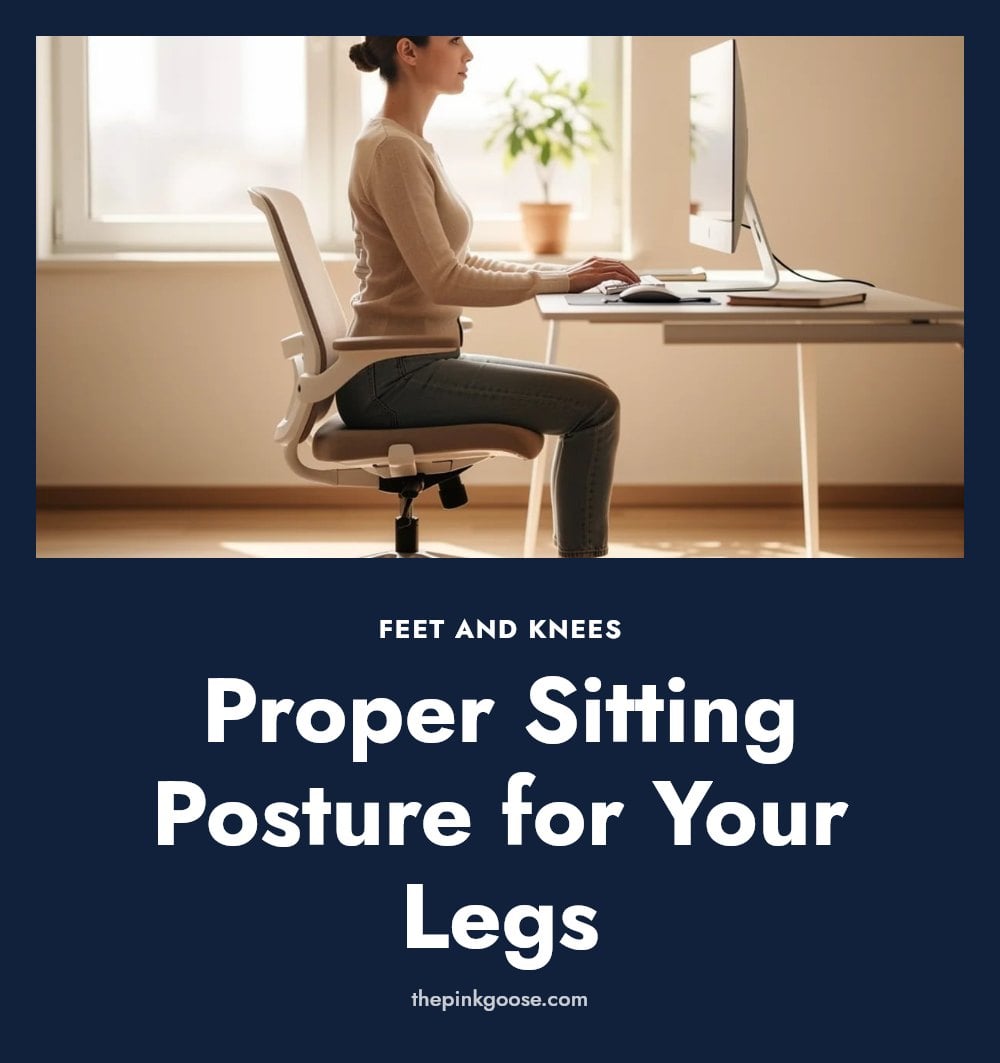
Feet flat: Place both feet flat on the floor or a footrest. Your knees should be bent at a 90-degree angle, with your thighs parallel to the ground.
This foundational position keeps your pelvis stable and prevents you from slouching or sliding forward. It also avoids excess pressure on the backs of your thighs, which can restrict circulation over time.
- If your feet don’t reach the floor, use a sturdy footrest to maintain the 90-degree bend.
- Avoid crossing your legs or tucking one foot under you, as this tilts your hips and strains your lower back.
2. Hips Slightly Higher Than Knees
Adjust your chair so your hips sit slightly higher than your knees. This small tilt helps maintain the natural curve of your lower back and reduces pressure on your spine. If your chair doesn’t adjust that way, try a small cushion or folded towel under your sit bones.
3. Back Supported by Chair
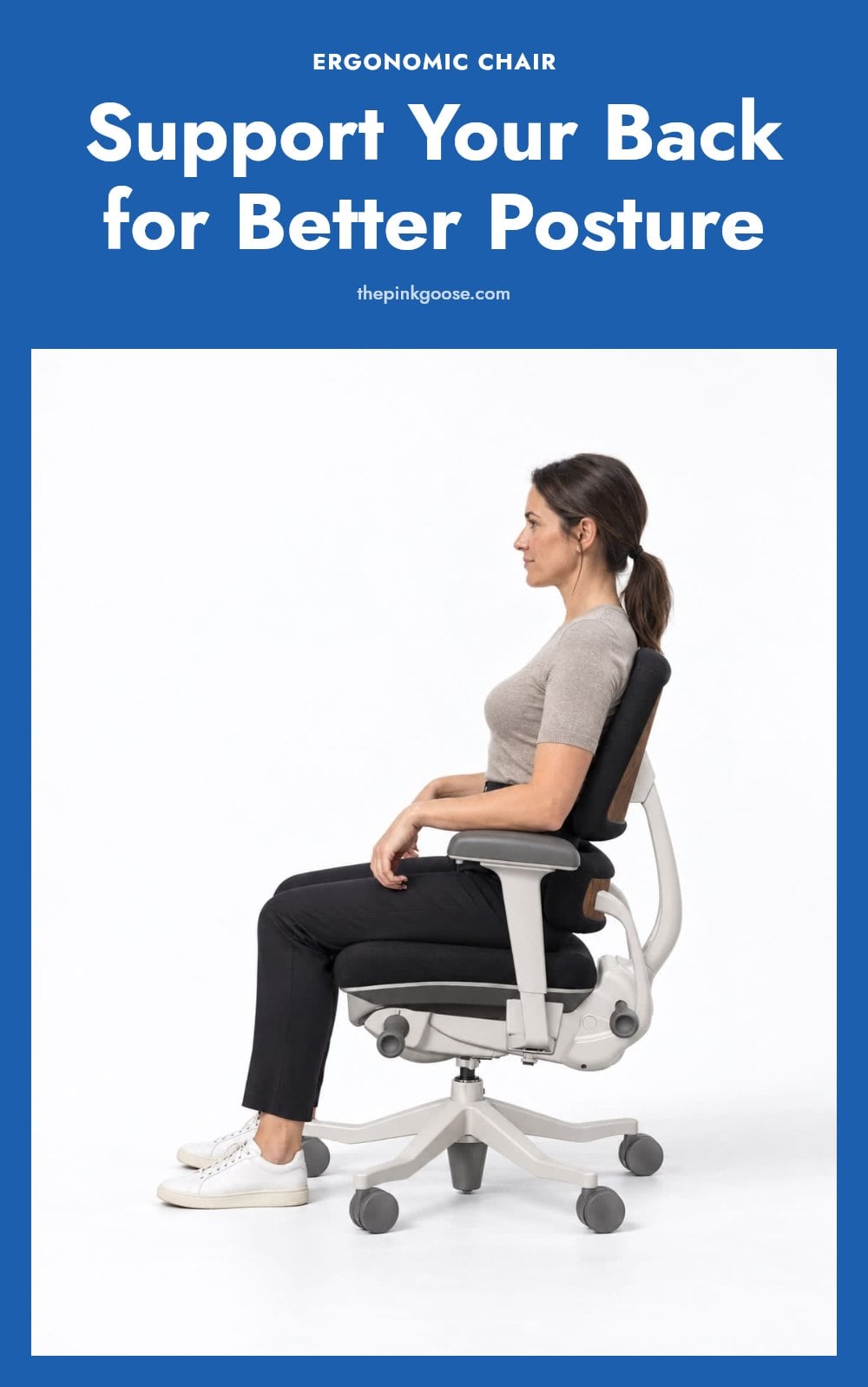
Sit with your back fully against the chair’s backrest, letting it support the natural curve of your spine. Tip: A lumbar support pillow can fill the gap in your lower back, giving you that extra support where you need it most.
4. Shoulders Relaxed and Back
Relax your shoulders and gently pull them back so they aren’t hunched forward. This opens your chest and prevents tension from building in your neck and upper back. My tip: Set a reminder to check your shoulder position every 20 minutes. Roll them back and down a few times to reset.
5. Head Balanced Over Shoulders
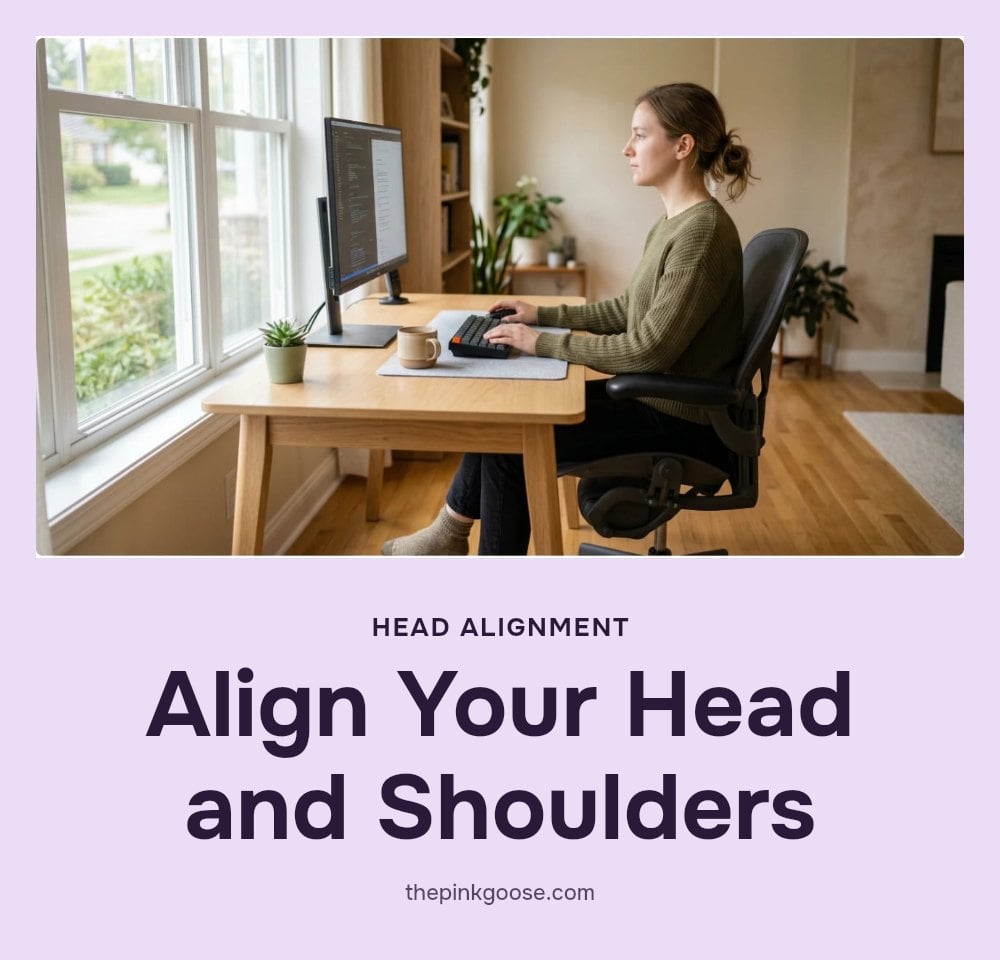
Keep your head balanced directly over your shoulders instead of letting it jut forward. This reduces strain on your neck, often called ‘tech neck,’ especially when you’re looking at screens. Pro move: Imagine a string pulling the top of your head upward to keep your ears aligned with your shoulders.
6. Monitor at Eye Level
Position the top of your computer monitor at or slightly below eye level. This keeps your head and neck in a neutral position, reducing strain. If you use a laptop, raise it on a stand or stack of books and use a separate keyboard and mouse.
7. Keyboard and Mouse Close

Keep your keyboard and mouse close enough to your body so you don’t have to reach for them. Your elbows should stay at a 90-degree angle, with your wrists straight and relaxed. Caution: If your wrists bend up or down while typing, adjust your chair or desk height.
8. Take Regular Movement Breaks
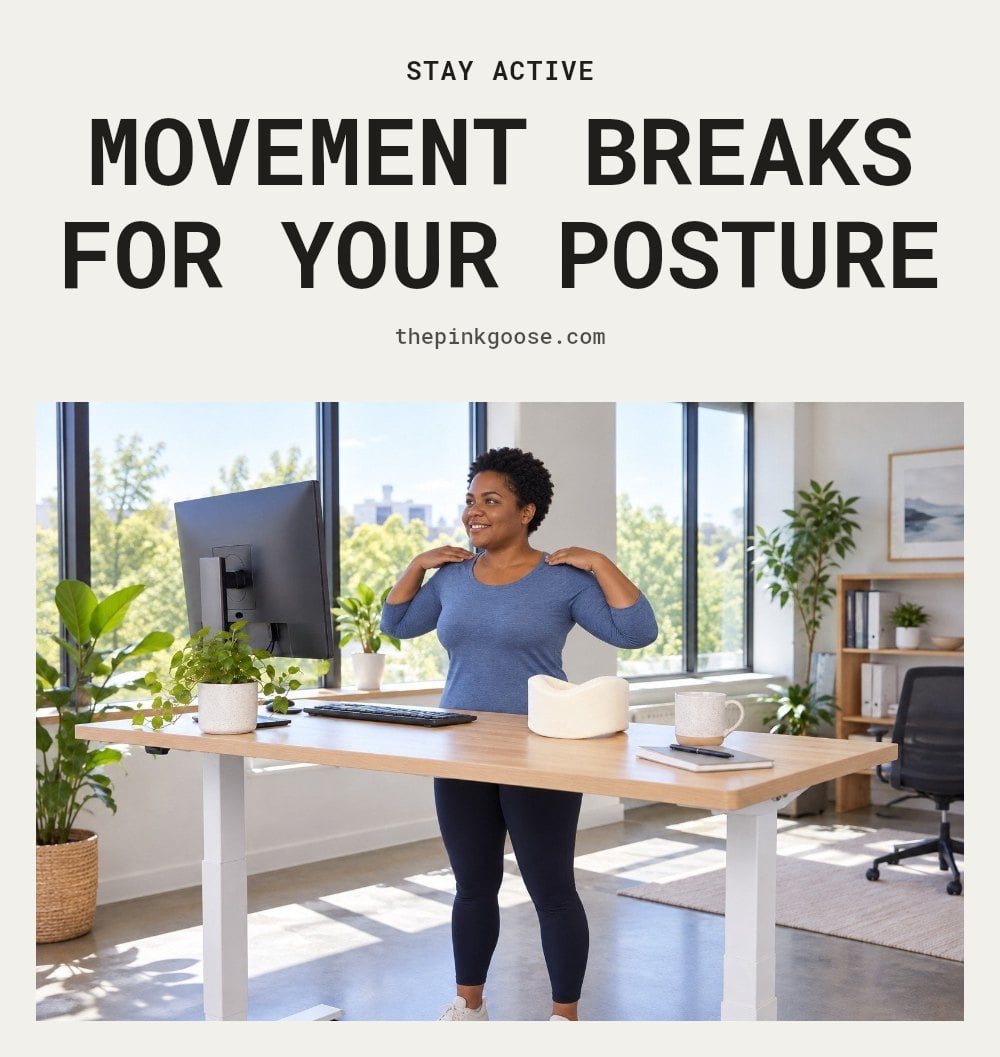
Stand up every 30 to 60 minutes: Set a timer if you need to. Even a one-minute walk to the kitchen or a quick stretch in place resets your alignment and keeps your muscles from stiffening.
Move while you sit: Shift your weight side to side, roll your shoulders, or gently tilt your pelvis. Small movements prevent any one muscle group from staying under constant tension.
9. Strengthen Your Core
Gently engage your abdominal and back muscles throughout the day, not just during workouts. This natural corset supports your spine and keeps you upright without effort. A few minutes of core-focused exercises, like planks or bird dogs, a few times a week builds the strength that makes good posture feel automatic.
- During sitting: Draw your navel slightly toward your spine while keeping your breathing normal.
- Targeted moves: Try pelvic tilts or seated marches to wake up your core without leaving your chair.
10. Stretch Tight Muscles
Sitting for hours shortens your hip flexors and tightens your chest muscles, which pulls your shoulders forward. Counteract this by adding a few targeted stretches to your day.
- Hip flexor stretch: Step one foot forward into a lunge position and gently push your hips forward until you feel a stretch in the front of the back hip. Hold for 20-30 seconds per side.
- Chest opener: Stand in a doorway, place your forearms on the frame at shoulder height, and lean forward slightly until you feel a stretch across your chest. Hold for 20-30 seconds.
- Neck and shoulder release: Gently tilt your ear toward one shoulder, holding for 15-20 seconds per side. This loosens the upper traps, which often get tight from hunching.
Stretching these areas regularly corrects postural imbalances and increases flexibility, making good posture feel more natural over time.
11. Mind Your Mobile Device Posture
Your mobile device posture matters just as much as your desk setup. Avoid craning your neck down to look at your phone or tablet. Instead, bring the device up to eye level as much as possible.
This simple adjustment prevents ‘text neck’, the strain from holding your head forward and down. Prop your phone on a stack of books or use a tablet stand during longer reading sessions.
Common Posture Mistakes to Avoid
Forcing an ‘ideal’ posture: Don’t try to sit rigidly straight. Focus on natural alignment and comfort instead of a stiff, unnatural position. Ignoring early discomfort: Listen to your body. Persistent aches are signals to adjust your position or take a break. Relying only on equipment: Ergonomic tools are helpful, but consistent mindful movement and self-awareness are key. Neglecting core and flexibility: Good posture isn’t just about sitting. It’s supported by overall body strength and mobility. Incorporate core exercises and stretches into your routine.
Frequently Asked Questions
How long does it take to improve posture?
With daily practice of good posture habits and regular movement breaks, many people notice less discomfort within a few weeks. However, lasting change takes ongoing effort, think of it as building a new habit rather than a quick fix. Be patient with yourself.
Can core exercises really help my posture?
Yes, strengthening your abdominal and back muscles provides the support your spine needs to stay aligned. A few minutes of exercises like planks or bird dogs a couple of times a week can make a real difference in how easily you maintain good posture throughout the day.
Is it bad to cross my legs?
Crossing your legs for short periods isn’t harmful, but doing it for hours can tilt your pelvis and strain your lower back and hips. If you tend to cross your legs, try to switch sides often or keep both feet flat on the floor for better alignment.
What is ‘tech neck’ and how do I avoid it?
‘Tech neck’ is the strain caused by jutting your head forward to look at screens. To avoid it, keep your head balanced directly over your shoulders and bring your phone or tablet up to eye level as much as possible. Taking breaks to look away from screens also helps.
Should I use a standing desk for better posture?
A standing desk can help by breaking up long periods of sitting, but it’s not a cure-all. The key is to alternate between sitting and standing throughout the day, and to maintain good posture in both positions. Listen to your body and change positions regularly.
Final Thoughts
Start with one change: adjust your chair so your hips are slightly higher than your knees and your back is supported. With consistent practice and regular movement, you can notice real improvements in comfort within a few weeks. Remember, good posture is about natural alignment and listening to your body, not forcing a rigid position.
This information is for general informational purposes only and does not constitute medical advice. If you experience persistent or worsening pain, numbness, or tingling, please consult a healthcare professional or physical therapist for personalized guidance.